CMMS software for workshops and plants
Breakdowns reported through the QR code stuck on the machine, work handled on the phone even with no signal, statutory inspections reminded by email. Free during the beta.
Built for your audits and statutory inspections
- IFS Food v8
- BRCGS Food Safety v9
- IATF 16949
- ISO 14224
- EN 15341
- French Labour Code (VGP)
One breakdown, from the QR code to the machine's history
A press brake breakdown, followed in the Atelier Martin demo.


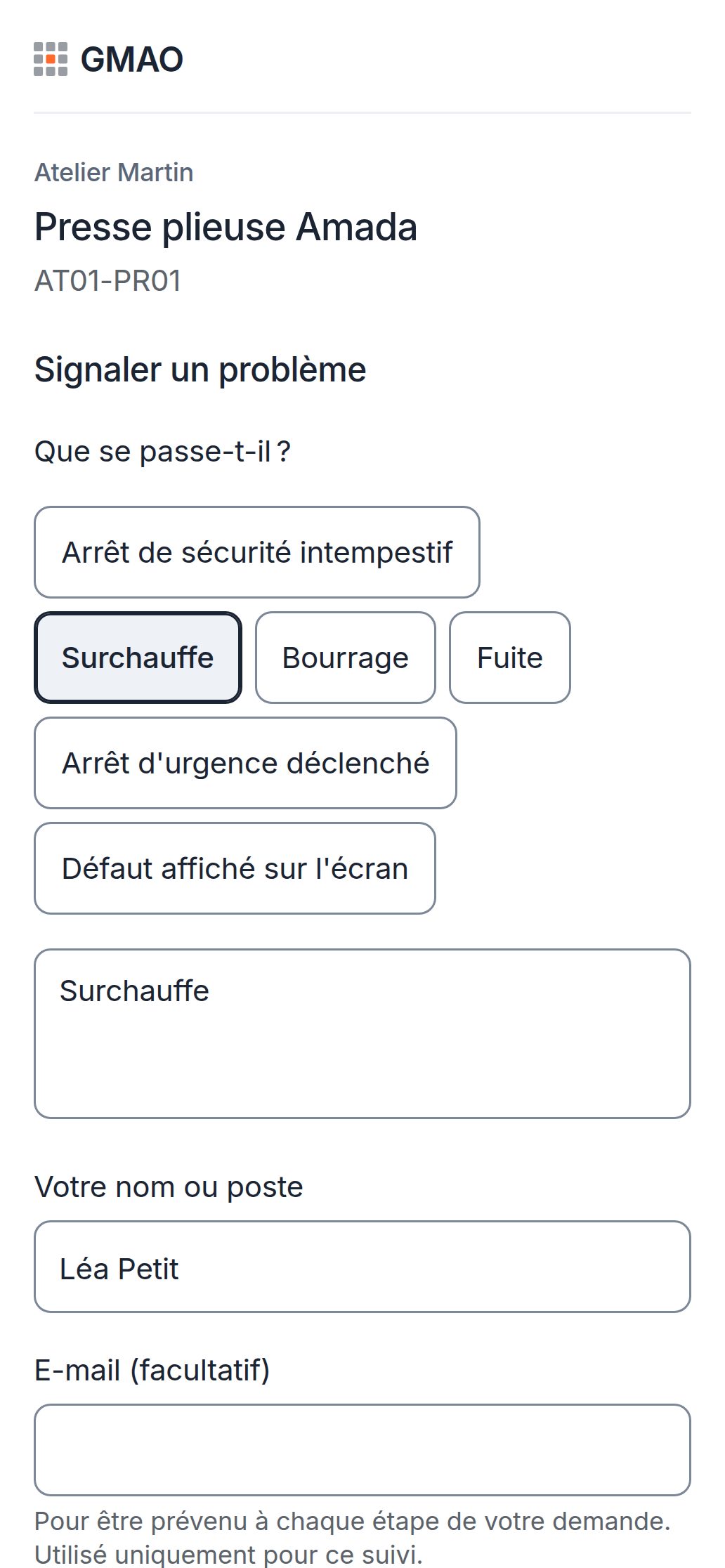
The operator reports the breakdown from the machine
They scan the QR code stuck on it and pick what is happening from a list. No account, no app to install.
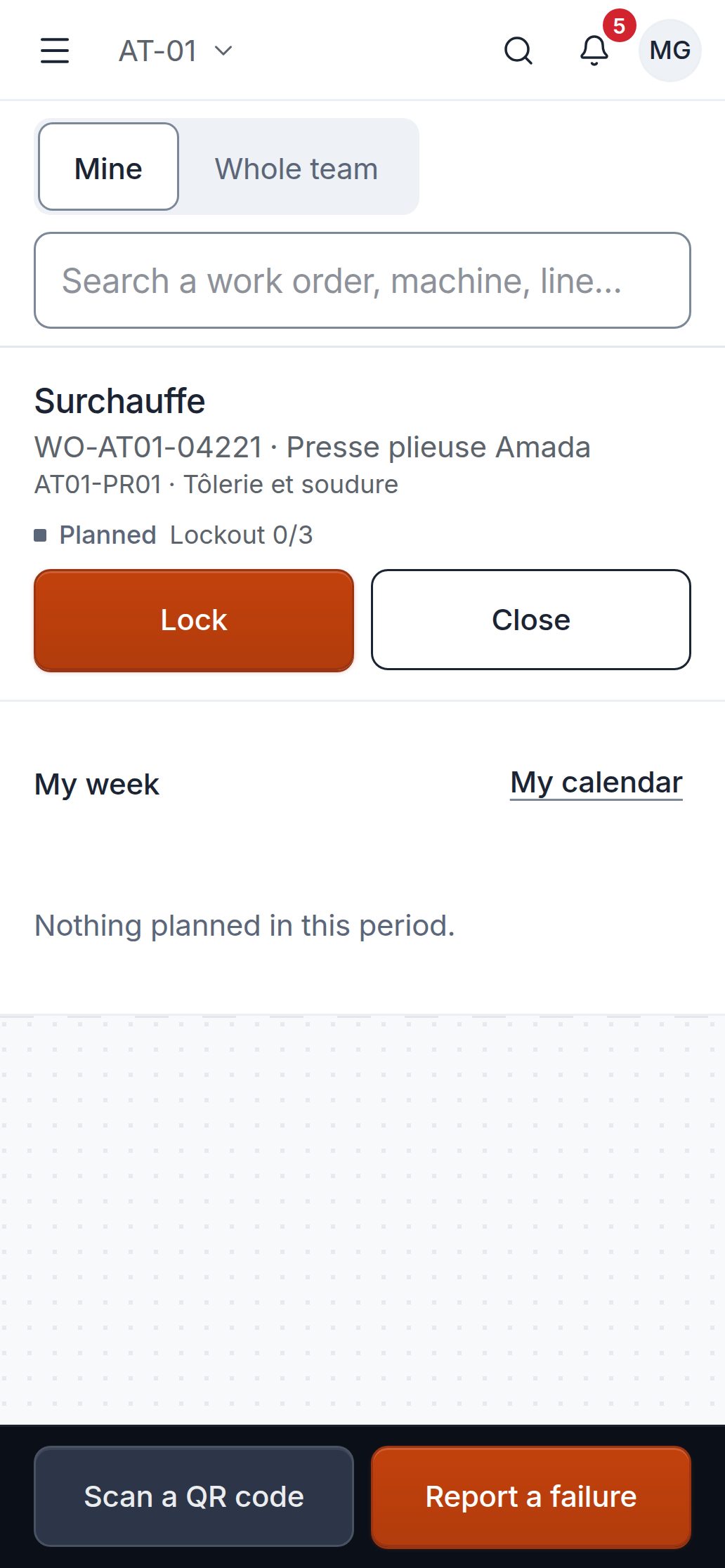
The technician handles it on the phone
In “My work”, the list of their work orders, they find the machine and its history, even with no signal.
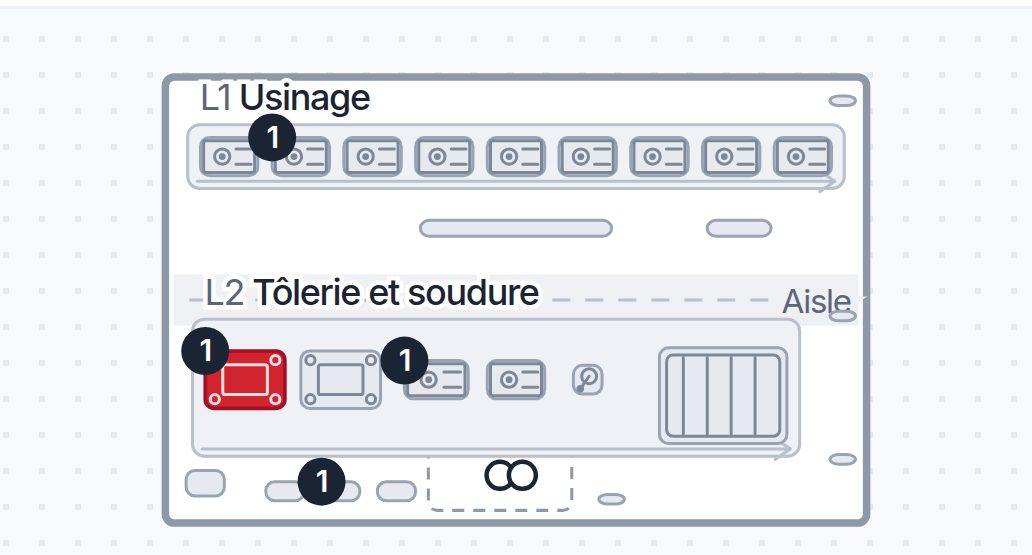
On the plan, the broken-down machine turns red
The others stay grey: what has a problem stands out at a glance.
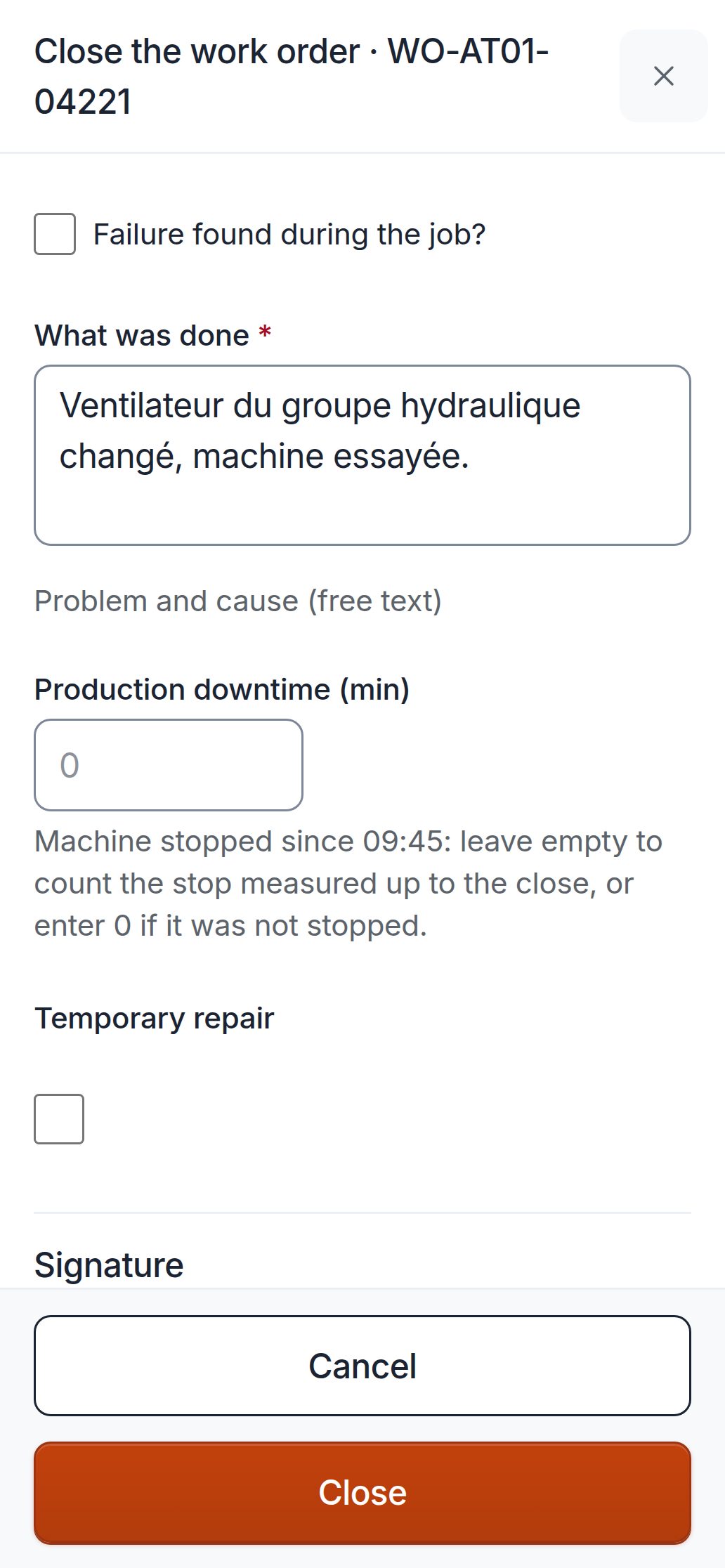
They close it by writing what they did
One sentence is enough; the timer has counted the time spent.
Each machine's history
The breakdown, what was done, who and when. When the same breakdown comes back, the previous repair is there.
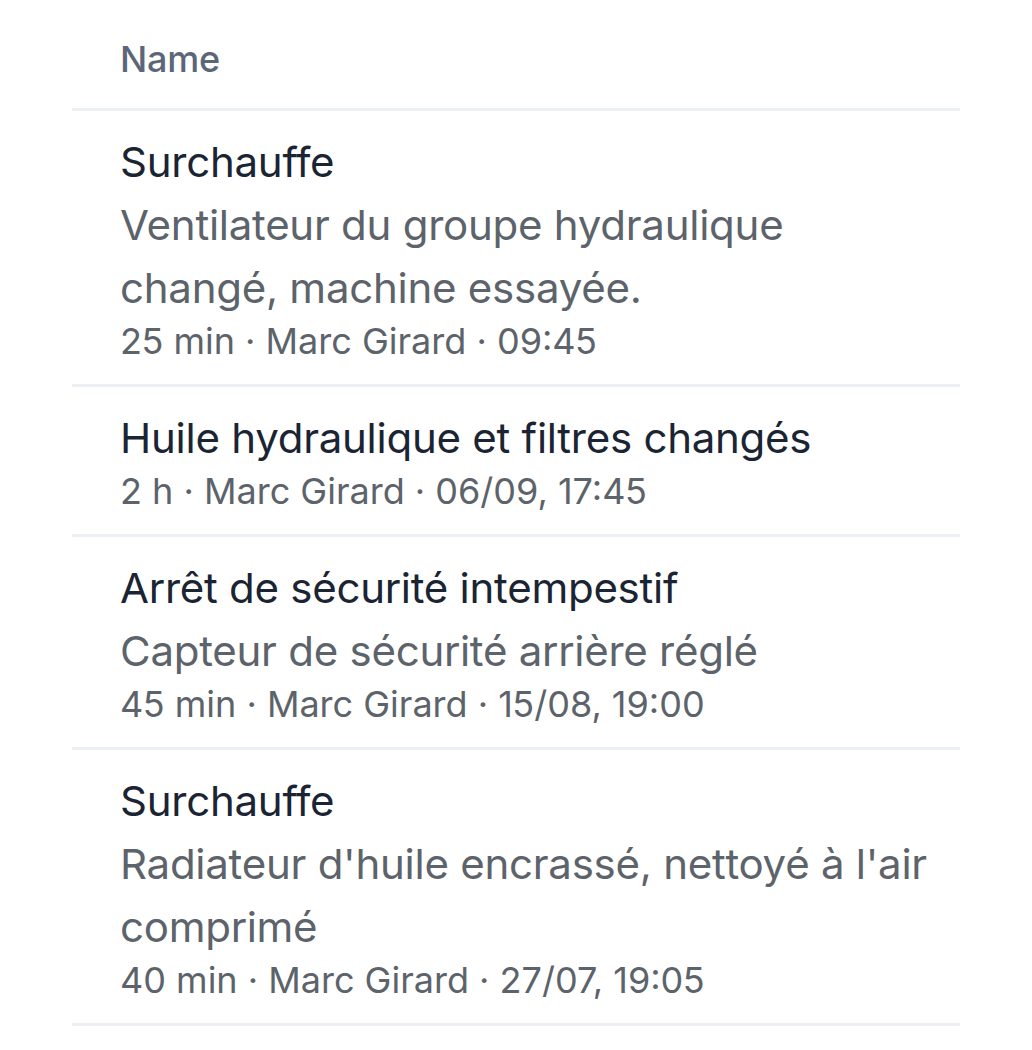

The rest of maintenance, in the same placeScreens from the demo, as they are.


Also included
- Excel importThe list of machines and the work order history, from a file built on our template.
- QR labelsOne per machine, printed from the software.
- Four languagesFrench, English, German and Spanish, as each person chooses.
- Full exportThe whole account in one .zip file, readable without us, at any time.
Never miss a statutory inspection again
Lifting equipment and forklifts, presses, compressor, electrical installation, extinguishers, doors: tick them in the inspection library. Each one is set on the right machines, with its interval and its reference text.


The software
Warned before it is due
An email at 30 days, at 7 days and on the day.
The report attached to the inspection
A finding opens a work order to clear it.
The spreadsheet and the binder
A date in a cell
Nobody is told when it passes.
The report in a binder
To be dug out on audit day.
A date in a cell
Nobody is told when it passes.
The report in a binder
To be dug out on audit day.
Warned before it is due
An email at 30 days, at 7 days and on the day.
The report attached to the inspection
A finding opens a work order to clear it.
- At 7am, on days when something is due, an email to administrators and managers, in the plant's language (French in this demo): inspections due within 30 days, within 7 days and today, overdue preventive maintenance, parts below their minimum.
- On Monday, instead, the summary of the week.
- The inspection body's report is attached to the inspection. A finding in the report opens a work order to clear it.
The library follows French regulations, checked against the official texts (Légifrance, Code du travail numérique, EUR-Lex) in October 2026. When a text sets an interval, it is a maximum: your inspection body or your insurer may ask for a shorter one. Otherwise, the library suggests a rhythm and says so.
What the software contains today
- standard statutory inspections in the library, each with its reference text (French regulations)
- 12
- machine classes, each with its ISO 14224 failure modes
- 19
- audit standards in a single PDF: IFS Food v8, BRCGS Food Safety v9 and IATF 16949 (in French)
- 3
- languages: French, English, German and Spanish
- 4
Figures from the software in October 2026, not customer results: the beta has none yet.
Audited plants: safety enforced, the audit file in one click
Food (IFS, BRCGS) or automotive (IATF 16949), from 1 to 10 sites: the work order requires what each machine demands, and the audit file comes out as a PDF.
Running a workshop? In small-business mode, the menu keeps only four tabs (work orders, assets, inspections, stock), and lockout only applies to machines whose procedure has been entered.

The audit file in one click
IFS Food v8, BRCGS Food Safety v9 or IATF 16949: the work orders, failure codes, lockouts, permits, hygiene clearances and inspections of the chosen period, in a single PDF. The PDF is in French.
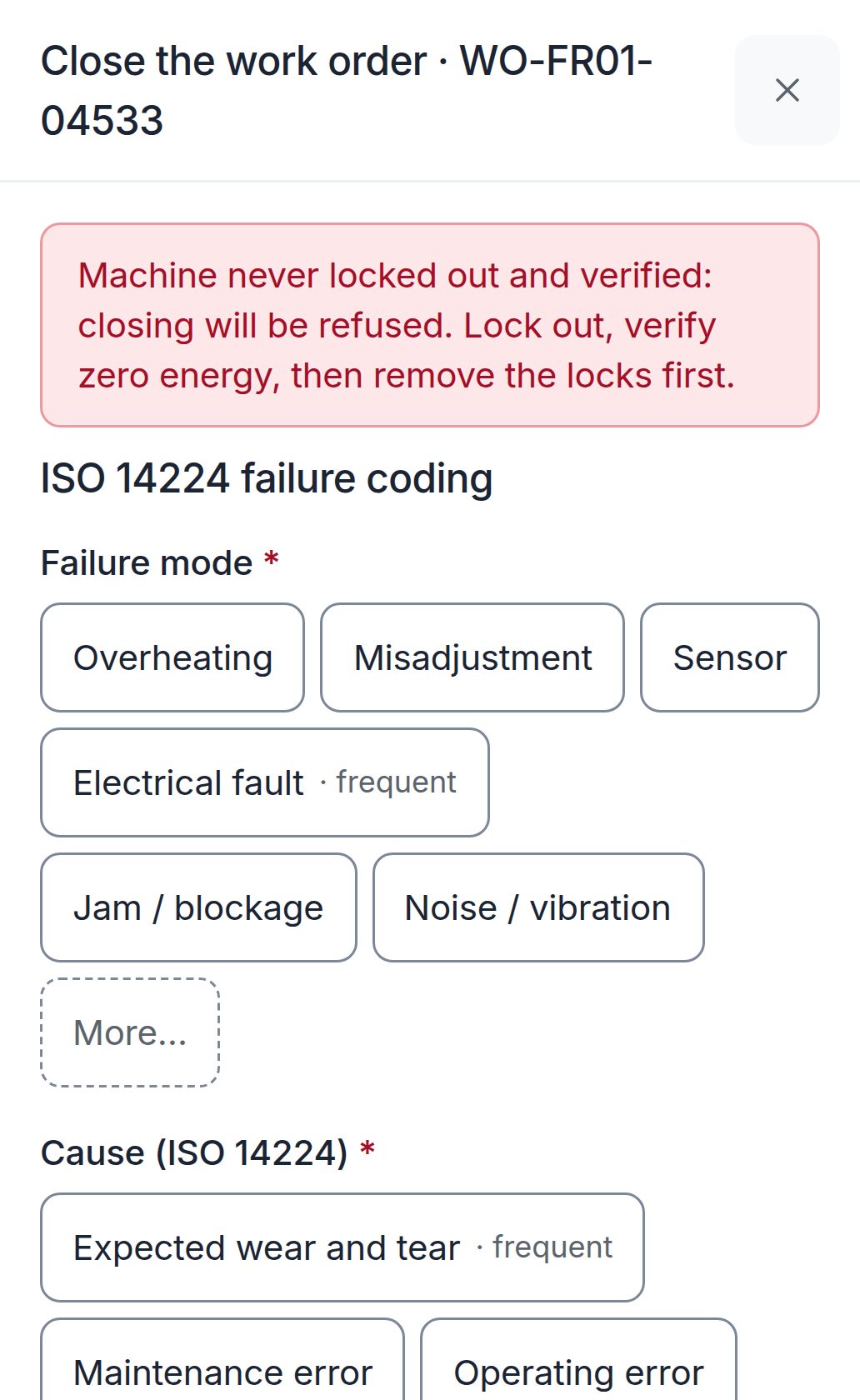
No closure without lockout
On a machine whose lockout procedure has been entered, the work order cannot be closed until the machine has been locked out and verified. Entered without signal, the closure is checked when it is sent: a refusal is noted on the work order, where the manager sees it. Work logged afterwards requires stating the lockout, and the audit file says so.
Nobody is sent without their qualification
A technician without the qualification the work requires (electrical, work at height, ATEX zone, confined space) is neither assigned nor scheduled, and the reason is shown.
Hygiene clearance by someone else
In a hygiene zone, tools are counted in and out, and the machine stays blocked until the return to production, signed by someone who did not work on the work order.
The Lyon plant: biscuits, BRCGS audit file
Three demo plants: Lyon (biscuits), Stuttgart (car bodies) and Valencia, in Spain (bottling). One account per role, password demo.
Try the plant demo


It connects to what you already have
No direct link with an ERP yet. The API, webhooks and sensors are in the Plant plan.
- Excel (.xlsx) and CSV
- Documented API (OpenAPI)
- Signed webhooks
- MQTT and OPC UA sensors
- Company sign-in (OpenID Connect)
- Calendar (iCal)
Start from your Excel list
A new account opens on the “Getting started” page, which guides you. The screens come from a new account: Atelier Dupont, a fictional workshop.
01
Import your list of machines
Copy your Excel list into the template: a name and a type chosen from the list are enough. If a row is wrong, nothing is imported and the error is shown row by row. The work order history can be imported too.
02
Tick your statutory inspections
The library sets them on the right machines, with their interval and their reference text. Enter the date of the last inspection if you have it.
03
Stick on the QR codes, invite the team
The labels are printed from the software. Each technician receives a link to choose their password; operators report without an account.


The beta is freeIn return, tell us what is missing
During the beta
Your account, your machines and your whole team, without paying and without a credit card.
What we ask of you
Use it for real, then tell us what is missing, what gets in the way and what is useless.
At the end of the beta
You are told by email. You choose a plan from the planned price to carry on, or you leave with your data: a full export as a .zip, readable without us.


No credit card: you receive by email the link that opens your account.
The planned price after the beta
Then from €99 excl. VAT per month per site (workshop or plant), unlimited users, no commitment.
Workshop
€99 excl. VAT / month per site
or €990 excl. VAT per year per site
1 site, up to 200 assets: work orders, preventive, statutory inspections and reminders, lockout, spare parts stock, offline technician app, QR code requests, full export.
Plant
€199 excl. VAT / month per site
or €1,990 excl. VAT per year per site
Everything in Workshop with no asset limit, plus qualifications, purchasing, contracts, work permits, hygiene clearance and audit file, IoT sensors, API, 3D plan.
Onboarding included. More than 3 sites: on quotation.
What each plan includes
| Feature | Workshop€99 excl. VAT / month per site | Plant€199 excl. VAT / month per site |
|---|---|---|
| Assets per site | Up to 200 | No limit |
| Work orders and preventive | Included | Included |
| Statutory inspections and email reminders | Included | Included |
| Lockout | Included | Included |
| Spare parts stock | Included | Included |
| Offline technician app | Included | Included |
| QR code requests | Included | Included |
| Full export | Included | Included |
| Qualifications | Not included | Included |
| Purchasing and contracts | Not included | Included |
| Work permits | Not included | Included |
| Hygiene clearance and audit file | Not included | Included |
| IoT sensors and API | Not included | Included |
| 3D plan | Not included | Included |
Your questions
What is not ready yet
- It is a beta: no company uses it day to day yet, so there are no reviews to show you.
- The plan shows reported breakdowns and sensor alarms; it does not yet read the run and stop signals of PLCs.
- No app in the stores: “My work” installs from the phone's browser.
- No link with business software (ERP) yet, and the hosting provider has not been chosen yet.
What is a CMMS?
Maintenance management software: the list of your machines, their breakdowns, their servicing, their inspections and their history, shared by the whole team, on computer and phone.
Is it made for a workshop of 15 people?
Yes. In small-business mode, the software keeps only four tabs, requests are handled without approval, closure takes one sentence and failure codes are optional. The Atelier Martin demo shows it: 25 machines, two technicians.
Do I need an IT person, or to install anything?
Nothing to install: everything happens in the browser, on computer and phone. You set things up from the “Getting started” page: import the list of machines, tick the inspections, invite the team. “My work” can be added to the phone's home screen like an app. Operators report through the QR code, without an account.
And with no signal in the workshop?
“My work” keeps the last list received and stores entries on the phone; they are sent in order when the signal returns. It must have been opened once with signal. Safety rules are checked when entries are sent: a refusal is noted on the work order, where the manager sees it. This mode has not yet been tried for a full day in a plant: it is one of the pieces of feedback we are waiting for.
Does my data stay mine?
Yes. In Administration, Settings, “Export everything (.zip)” gives you the account in one file, readable without us: the complete data (JSON), CSV tables (assets, work orders, preventive, inspections, stock), the audit log and attachments up to 300 MB per export (beyond that, their list to download them one by one). The hosting provider will be named here and in the legal notice before sign-ups open.
What happens to my account at the end of the beta?
You are told by email seven days before. Without a chosen plan, the account becomes read-only: you keep access to everything and the full export for 90 days, then the data is erased.
Can I bring my Excel file or my old CMMS?
Yes for the list of machines and the work order history, from an Excel or CSV file built on our template. If a row is wrong, nothing is imported and the error is shown row by row. Parts in stock, preventive plans and accounts cannot be imported yet.
Does it replace our ERP?
No, it complements it. The software handles maintenance: machines, work orders, preventive, inspections, parts and, in the Plant plan, purchasing and contracts. It has no direct link with an ERP yet: lists export to CSV, reports to Excel, the whole account as a .zip and, in the Plant plan, the documented API lets you pull the data.
What about our IT department?
Two-factor authentication, six roles with rights per plant, a documented API (OpenAPI) with API keys and signed webhooks. Company sign-in (OpenID Connect) is set for a whole installation, not yet separately for each customer.
I would rather be shown
Request a presentation: we will reply by email.
Try it on your machines
The free beta
Your account, your machines and your whole team, with no credit card. The link that opens the account arrives by email.
Join the free betaThe demo
One click on an account is enough: the administrator (the owner), the technician or the operator.
Try the demoA question before you start?
Write to Victor Aubague: [email protected]. Or call 06 61 35 71 30.
Request a presentation